Application Description
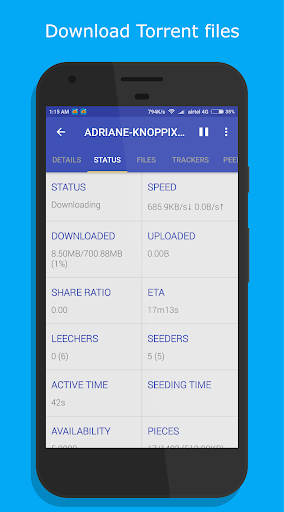
1DM Lite: Browser & Downloader is a fast, lightweight download manager for Android. It enables multi-threaded downloads, torrent downloads, and browser-based resource detection. The app is completely ad-free, delivering high-speed, stable downloads for a smooth experience.
Key Features of 1DM Lite: Browser & Downloader
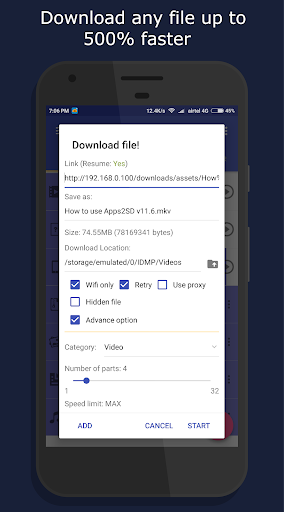
Download Speed: Boost your download speeds by up to 500% compared to standard downloaders for a faster, more efficient process.
Multiple Downloads: Download multiple files at the same time using any browser—saving both time and effort.
Versatile File Support: Download a variety of content, including videos, music, and documents, thanks to wide-ranging format compatibility.
Easy-to-Use Interface: Despite its powerful features, the app’s intuitive design makes navigation simple for all users.
Frequently Asked Questions
Is IDM Lite free to use?
- Yes, the app is free to download and use. However, a paid version with extra capabilities is also available.
Can I download videos from YouTube with IDM Lite?
- No, downloading content from YouTube is not supported due to the platform’s policy restrictions.
How much storage does IDM Lite use?
- The app occupies only 8 MB of device storage, ensuring it remains lightweight and efficient.
Download Manager Capabilities
As a powerful download manager, 1DM Lite supports multi-threaded and multi-part downloading (up to 16 parts at once), plus speed limiting. It handles all major file types, including archives, videos, music, documents, and programs. Users can pause, resume, and schedule downloads, use unlimited retries with custom delays, and keep downloads running in the background. A WiFi-only mode helps conserve mobile data.
Browser Functionalities
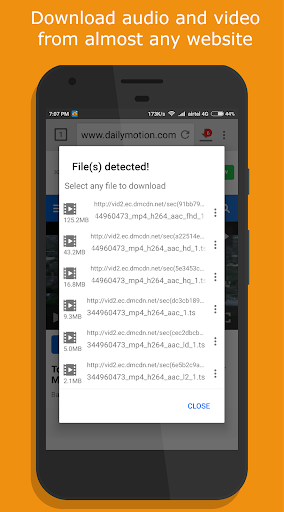
1DM Lite includes a built-in browser featuring tabbed browsing, history, bookmarks, and an incognito mode for private sessions. The browser automatically detects media links from your favorite sites, allowing direct downloads.
User-Friendly Features
Designed for convenience, 1DM Lite supports light and dark themes, multiple languages, and direct downloads to an SD card. Other user-focused options include hiding downloaded files, smart downloads triggered by copied links, auto-login for password-protected sites, extended progress notifications, and vibration or sound alerts when a download finishes.
Advanced Features
Advanced users benefit from up to 10 simultaneous downloads, configurable retry settings, and smart error recovery to prevent data loss. The download scheduler and support for importing/exporting links from text files or clipboard further boost productivity. Files can also be sorted by name, size, or date, and arranged by category and time.
Plus Version Advantages
Upgrading to the Plus version removes ads, improves performance, allows up to 30 simultaneous downloads, and enables multi-part downloads with up to 32 parts each. Proxy support with or without authentication is included, making it ideal for users with advanced networking requirements.
What’s New in Version 15.2
Last updated on Dec 13, 2023
1DM Lite: Browser & Downloader Screenshots
Reviews
Post Comments
Trending Games
Trending apps












Topics
More
Top-Rated Productivity Tools to Boost Your Workflow
Mind-Bending Puzzle Games for Android
Best Productivity Apps to Boost Your Efficiency
Offline Puzzle Games to Play Anytime
Explore the World of Arcade Games
Best Casino Games Online
Beauty Apps: Your Guide to Stunning Looks
Top Rated Strategy Games on Google Play
Latest Articles
More