


Application Description
Color Gear: Color Wheel is the ultimate tool for artists and designers to create stunning color palettes. Supporting both RGB and RYB color models, plus over 10 color harmony schemes, this app is tailored for both beginners and pros. Generate palettes by entering a color code or extracting hues from photos with the built-in palette extractor. Fine-tune shades with advanced color editing tools, and easily save or share your palettes for seamless collaboration. With Color Gear, crafting beautiful, harmonious color schemes has never been simpler. Try it today and unlock your creative potential!
Key Features of Color Gear: Color Wheel
⭐ Choose Your Ideal Color Wheel
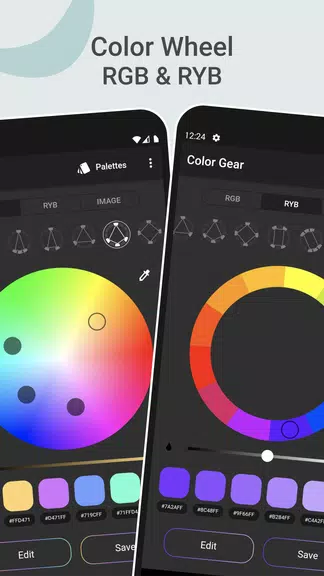
Switch between the RGB Color Wheel and Itten Color Wheel depending on your project’s needs. Access more than 10 color harmony schemes to effortlessly design visually pleasing palettes.
⭐ Build Palettes from Color Codes
Enter any color by name, HEX, or RGB code, and the app instantly generates matching color harmonies for you to browse and select from.
⭐ Extract Colors from Images with the Palette Extractor
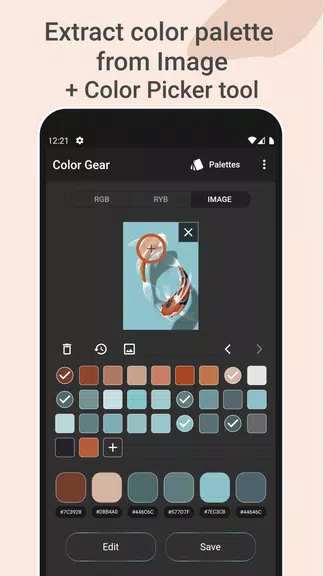
Easily turn your favorite photos into color palettes. Simply choose an image from your gallery—our smart algorithm extracts dominant colors automatically, or use the Color Picker for manual selection.
⭐ Save Your Palette Alongside an Image
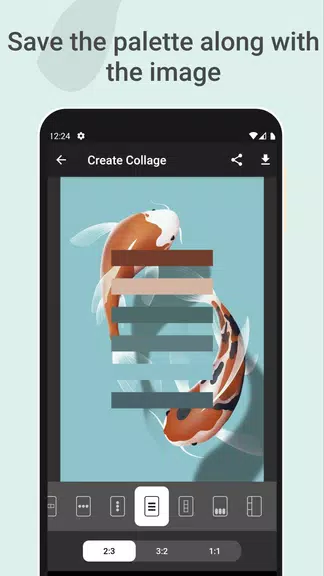
Create beautiful visual collages by overlaying your palette on an image. Perfect for sharing on social media or storing for future inspiration.
⭐ Advanced Color Editing Tools
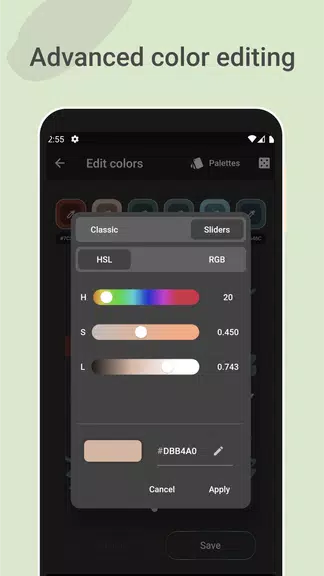
Take full control with precise adjustments to Hue, Saturation, and Lightness values. Perfect your palette with professional-grade editing options.
⭐ Simple Palette Management and Sharing
Effortlessly save, edit, organize, and share your palettes. Copy HEX values with one tap, and access multiple color formats whenever you need.
Tips for Making the Most of Color Gear
⭐ Experiment with Color Models and Schemes
Try combining different color models and harmony schemes to uncover unique and inspiring color combinations. Let your creativity guide your experiments!
⭐ Use the Palette Extractor for Creative Inspiration
Turn everyday photos into custom color schemes. Let real-world imagery inspire your next design project with authentic, ready-to-use palettes.
⭐ Perfect Your Palette with the Color Editor
Use the HSL adjustment tools to refine every shade. Tweak colors until they perfectly match your vision—every detail is under your control.
Final Thoughts
With an intuitive design, professional-grade tools, and full offline access, Color Gear: Color Wheel transforms color selection into an inspiring and effortless process. Whether you’re an experienced artist or just exploring color theory, this app provides everything you need to realize your creative ideas. Download now and dive into the vibrant world of color design!
Color Gear: color wheel Screenshots
Reviews
Post Comments
Trending Games
Trending apps












Topics
More
Latest Articles
More


Nog needs Crossword Clue - Try Hard Guides
Sep 28,2026
Anime Saga May 2025 Codes
Sep 27,2026
Toram Online partners with popular anime series Let This Grieving Soul Retire for new collab
Sep 27,2026
Superman 4K Steelbook Preorders Launch
Sep 25,2026
