

애플리케이션 설명
A car dock app designed for effortless music playback and seamless phone management.
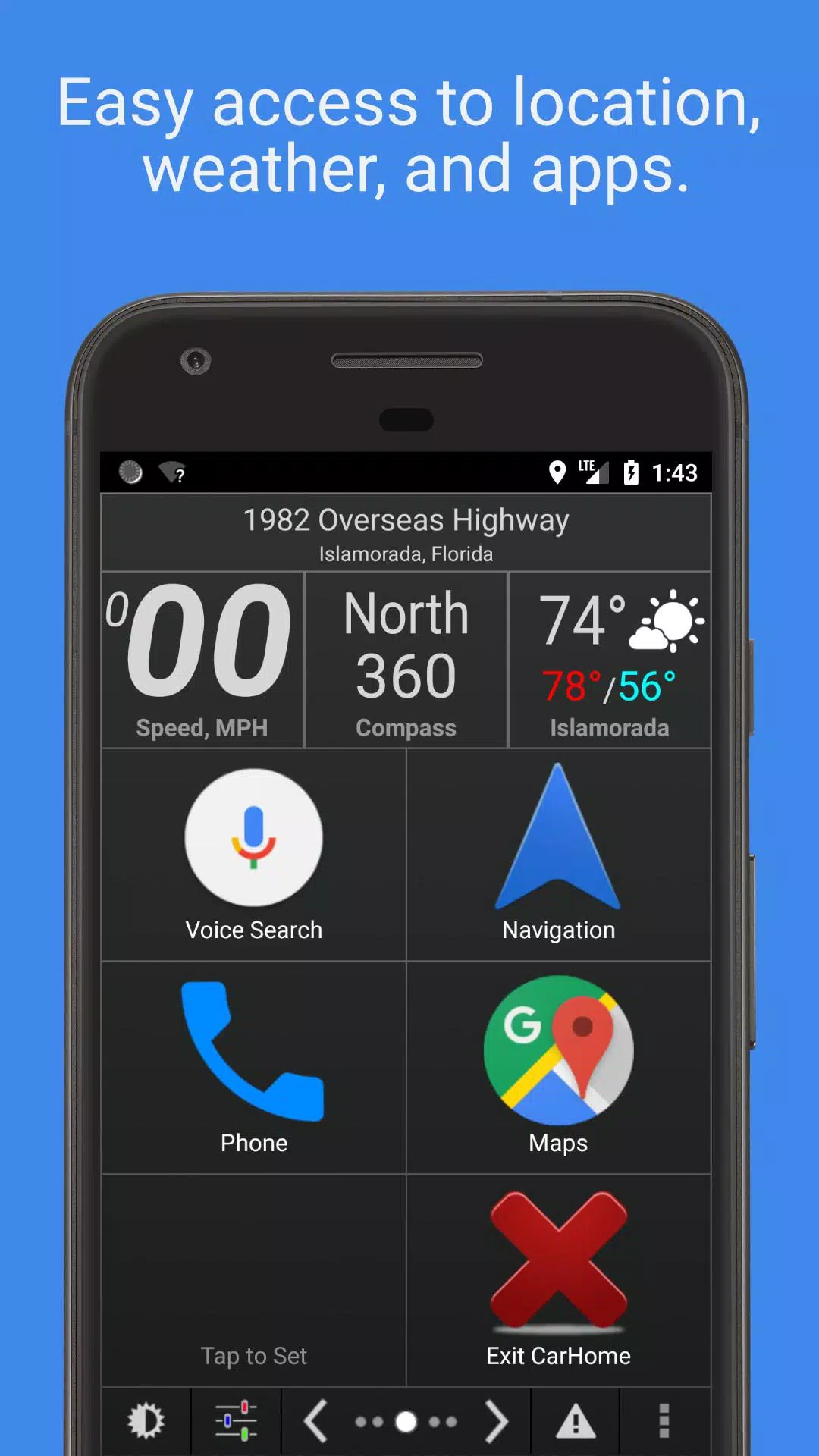
Car Home Ultra streamlines phone control while driving with its intuitive car dock interface.
Automatically launches when your car's Bluetooth connects, with quick access via home button or customizable overlay button (configured in Settings->Startup Options).
Boost your driving experience with powerful automation features: Auto Startup, Display Brightness adjustment, Volume Control, WiFi management, and more.
Key Features:
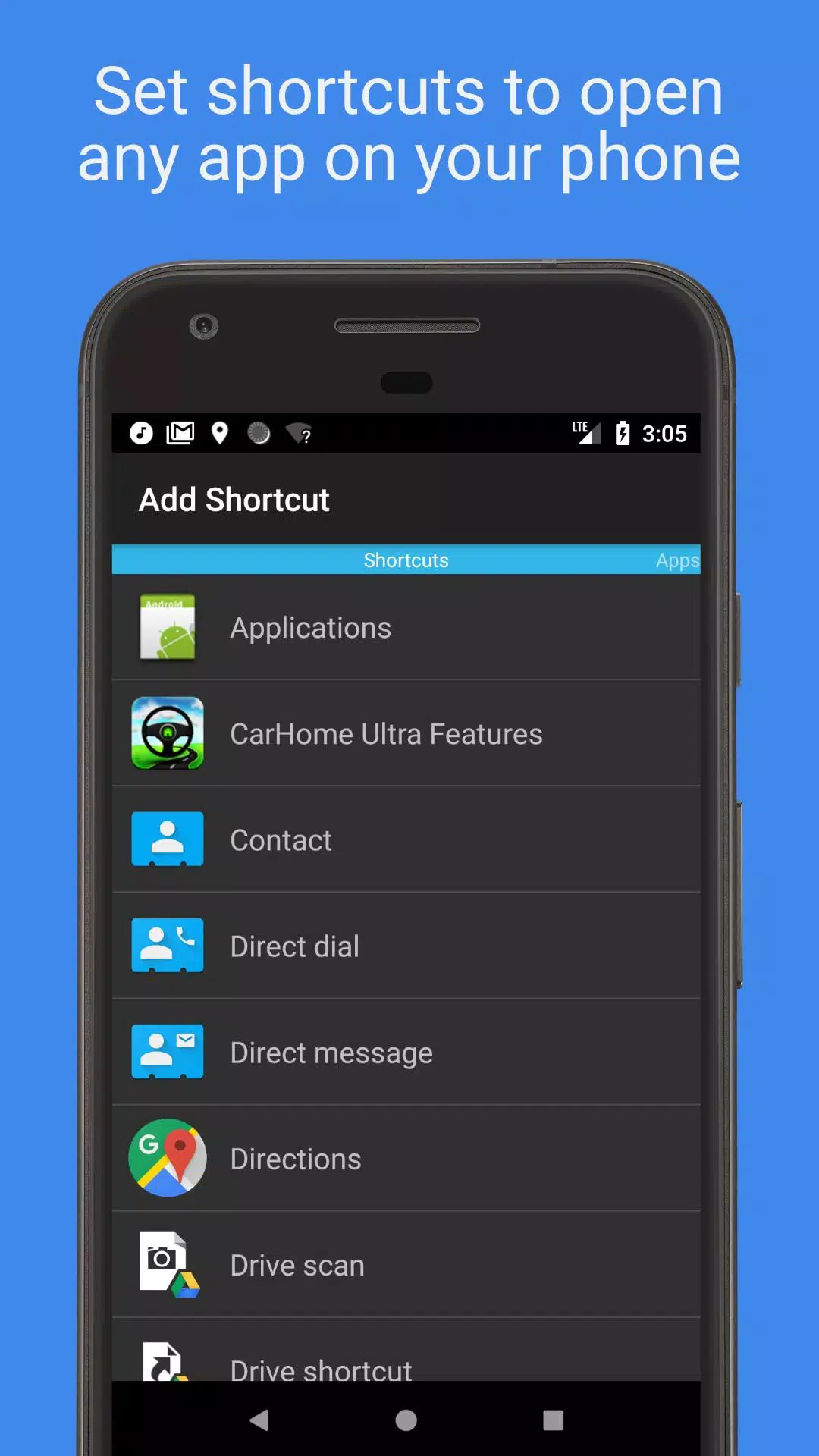
• Create unlimited customizable shortcuts for apps, direct dialing, or navigation destinations.
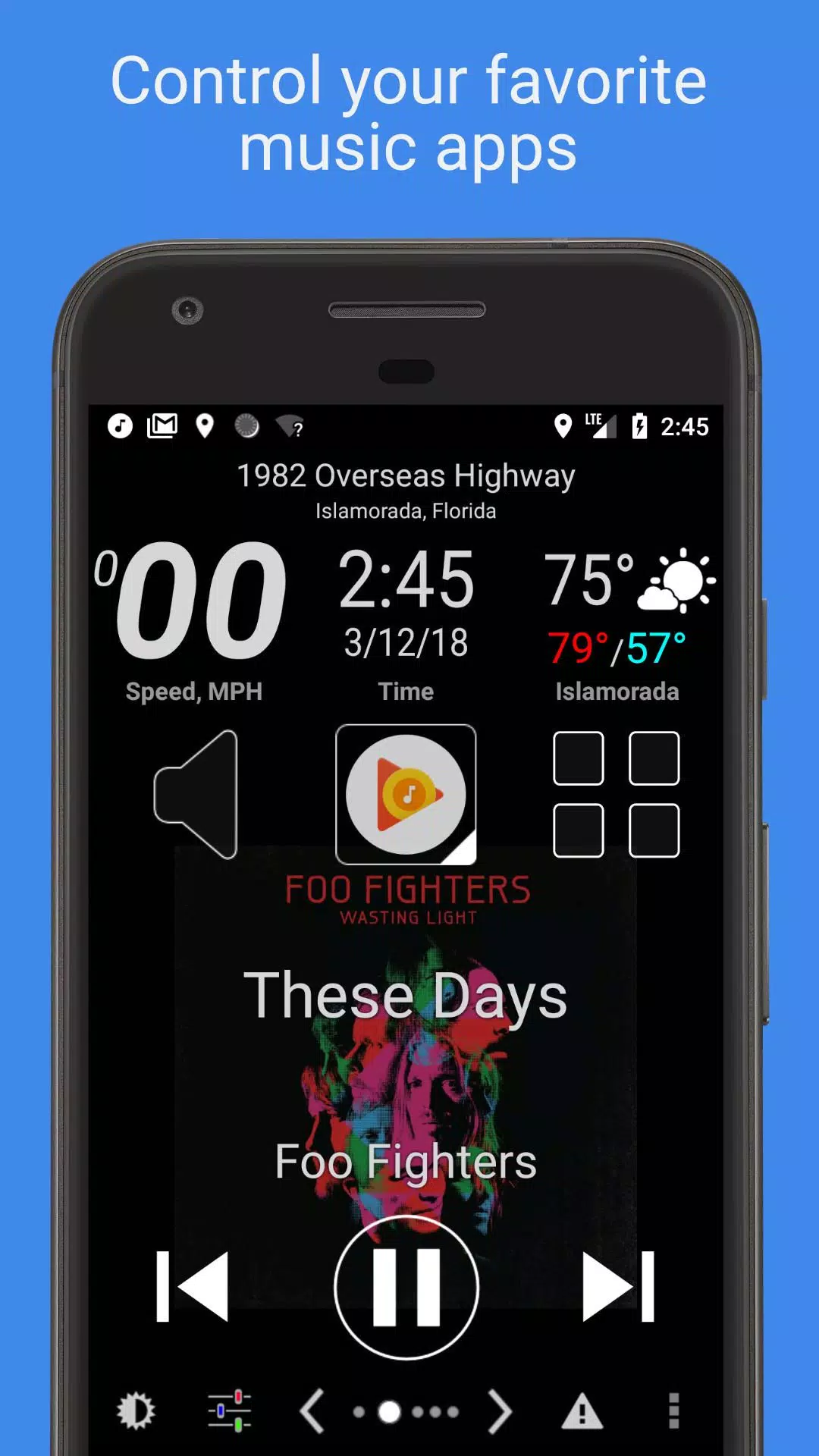
• Enjoy simplified media control with large, visible buttons compatible with all music and podcast apps.
• Stay informed with widgets displaying real-time speed, location, weather, altitude, and more.
• Personalize your interface with multiple skins and color schemes.
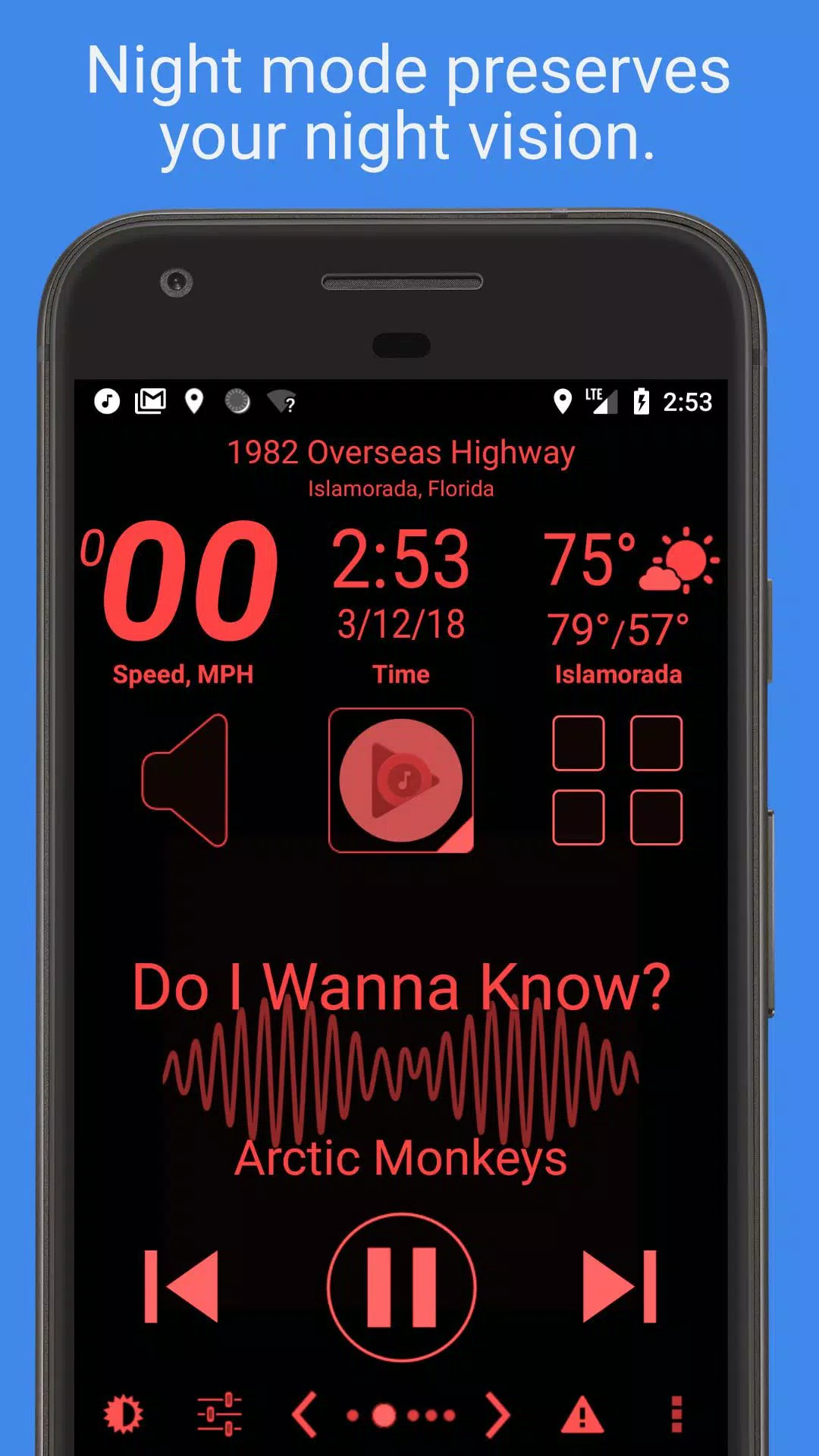
• Automatic Day/Night mode switching protects your nighttime vision.
• Hands-free SMS autoresponder keeps your eyes on the road.
• Speed alert notifications help prevent speeding tickets.
• Complete feature details available below.
Mark the Geek: "CarHome Ultra - The Ultimate Android Car Dock Solution"
https://www.youtube.com/watch?v=9g-Aonh645Y
Android 4.2+ users can enhance safety with Google Voice Commands for fully hands-free operation. Learn more: https://support.google.com/websearch/answer/6031948?hl=en
Enjoy a 30-day trial - Purchase CarHome Ultra License for continued unlimited access.
Data Widgets:
- Voice-enabled Speedometer
- Digital Compass
- Altitude Tracker
- Battery Level Indicator
- Real-time Clock
- Voice-enabled Weather Updates
- Voice-enabled Current Location
Advanced Capabilities:
- Universal Media Controller (Play/Pause/Skip/Track Info)
- Unlimited Custom Shortcuts
- Location-based Alerts
- Custom Day/Night Themes
- Multiple Interface Designs
- Automatic Day/Night Switching
- Optional Speakerphone Activation
- Bluetooth Triggered Launch
- Smart Bluetooth Auto-Connect
- WiFi Auto-Management
- Dual Unit Display (KPH/MPH)
- Temperature Unit Selection (°C/°F)
- Immersive Full Screen Mode
- Custom Icon Support
- Flexible Screen Orientation Lock
- Android 5 Material Design
- Display Brightness Adjustment
- Volume Level Control
- Tactile Feedback
- Notification Muting
- Three Layout Options (6-button/8-button/media-centric)
- Power-saving Sleep Mode
- Persistent Display Option
- Automatic Media Playback Stopping
- Inspired elements of Android Auto (official confirmation)
NEED ASSISTANCE? Contact our support team: [email protected]
Permission Explanations:
Device & App History – Essential for Media Controller compatibility detection.
Contacts/Calendar – Required exclusively for direct dial shortcuts functionality.
Location – Powers GPS-dependent features like Speedometer, Compass, and Weather.
Phone – Necessary for Direct Dial shortcut operation.
Photos/Media/Files – Used solely for Debug Log access (no media collection).
Camera/Microphone – Currently enables audio visualization; reserved for future voice features (no camera usage).
Wi-Fi Connection – Permits Wi-Fi management automation.
Car Home Ultra 스크린샷
리뷰
댓글 게시
인기 게임
인기 앱











최신 기사
더


플린스 최고의 빌드 및 팀 가이드
Sep 16,2026
인데미, 성격 테스트로 당신의 히어로 되기, 곧 출시
Sep 13,2026
플러그인 디지털, 전복 보드게임 출시
Sep 13,2026
포켓몬고, 2025 포켓몬 월드 챔피언십 앞두고 다채로운 기념 이벤트 진행 예정
Sep 10,2026
폴리토피아, 이번 가을 시작되는 글로벌 월드 챔피언십 준비 완료
Sep 10,2026