Fortnite: Get Free Santa Dogg Outfit Guide
Author: Hunter
Jan 08,2026


We all know Snoop Dogg is a huge gaming fan. His Fortnite collaboration wasn't his first, but his Chapter 2 finale virtual concert was a massive hit. While his in-game skins remain available for purchase, Epic Games (presumably with Snoop Dogg's blessing) is now giving all players a special Santa Dogg outfit for free.
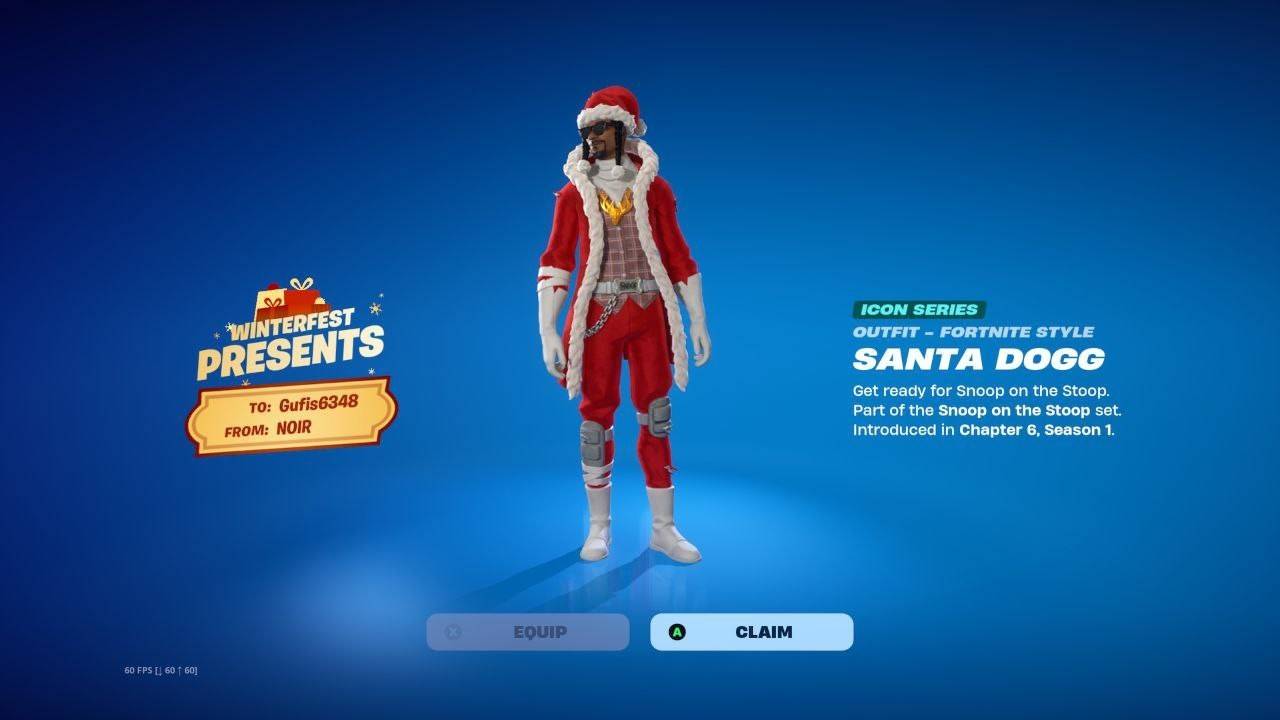 image: ensigame.com
Table of Contents
How to get the Santa Dogg outfit for free? 0 0 Comment on this
Similar to other Winterfest gifts, you can claim the Santa Dogg outfit for free inside the Winterfest lodge. From the Fortnite main menu, navigate to the tab with the snowflake icon and enter the lodge. Once inside, look for a new yellow gift box with a bright red ribbon sitting on the carpet in the middle of the room.
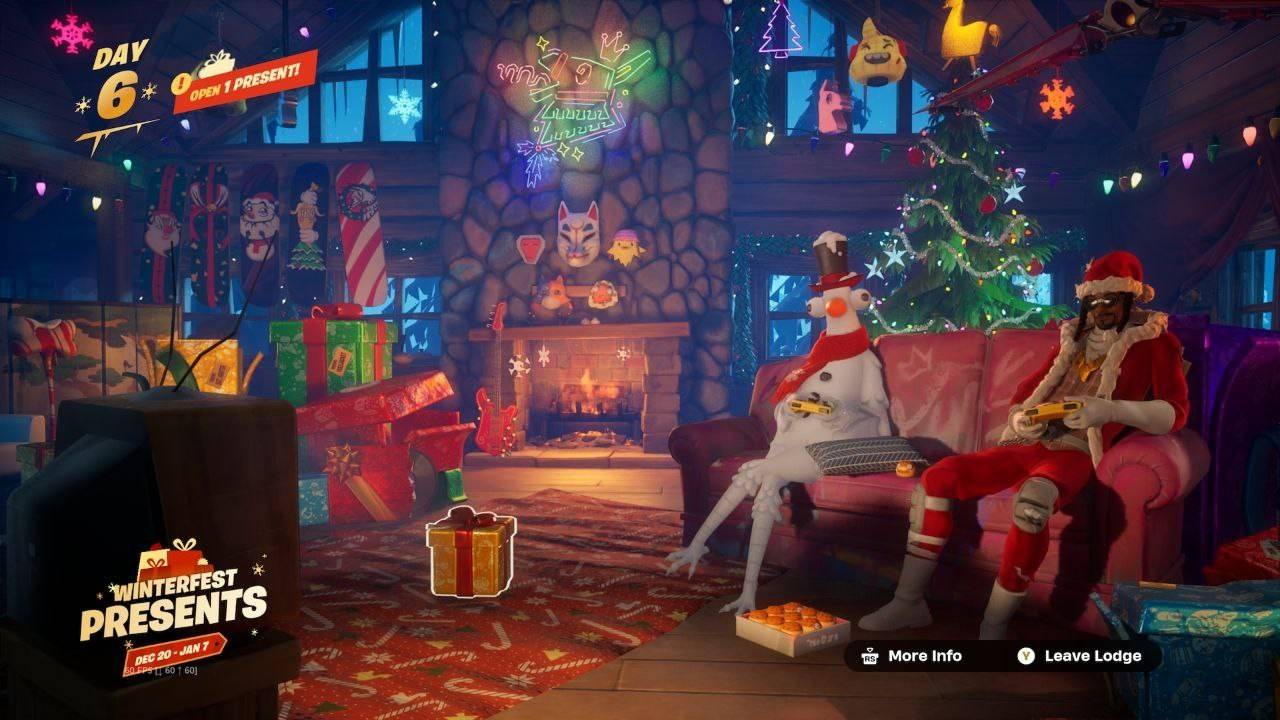 image: ensigame.com
Select this box, and the game will give you the option to shake it or open it. Shaking it has no effect, so simply hold the button to open the gift. The Santa Dogg outfit will then be added to your locker for free.
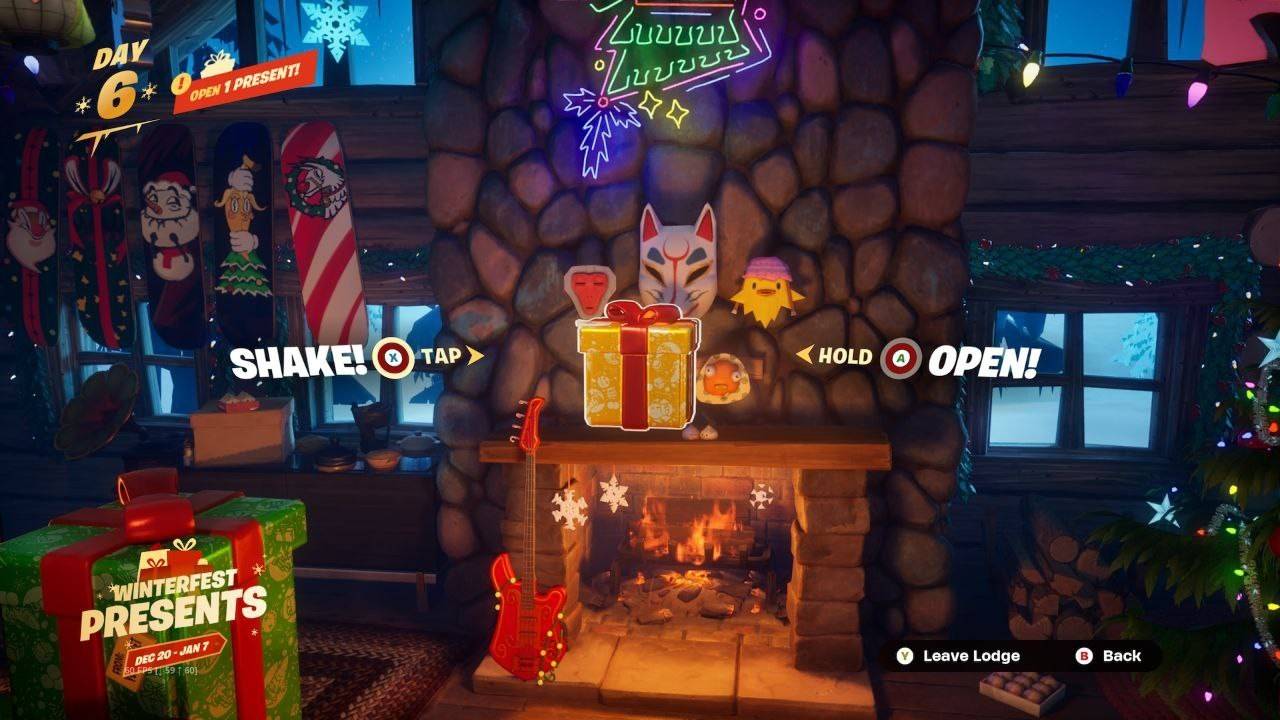 image: ensigame.com
If you don't see this gift in the lodge lobby, try restarting Fortnite. This can often help, especially if you're playing on Xbox Series X|S using the Quick Resume feature.
Fortnite Winterfest is currently ongoing, and Epic Games has prepared 14 different free items for players. For more details, check out our complete guide.