Описание приложения
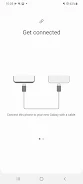
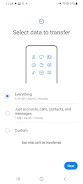
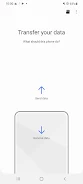
Легко перенесите свои данные на новое устройство Galaxy с помощью Smart Switch, лучшего приложения для переноса данных. Легко перемещайте контакты, музыку, фотографии, записи календаря, текстовые сообщения и настройки устройства. Smart Switch также поможет вам найти ваши любимые приложения в Google Play или найти аналогичные альтернативы. Независимо от того, обновляете ли вы Android или iOS, Smart Switch предлагает варианты беспроводной и проводной передачи данных. Наслаждайтесь расширенными функциональными возможностями, обновив свое устройство Galaxy до M OS для передачи данных приложений и домашнего макета. Загрузите Smart Switch сегодня, чтобы перейти на другое устройство без стресса.
Основные характеристики Smart Switch:
- Легкая передача данных: С легкостью переносите контакты, музыку, фотографии, календарь, сообщения и многое другое на свое новое устройство Galaxy.
- Интеграция с Google Play: Быстро находите любимые приложения или похожие в Google Play.
- Совместимость с Android и iOS: Поддерживает беспроводную передачу с Android 0 или более поздней версии и проводную передачу с Android 3 или более поздней версии. Пользователи iOS могут передавать данные через проводное соединение, импорт iCloud или с помощью Smart Switch программного обеспечения для ПК/Mac.
- Широкая поддержка устройств: Совместимость с широким спектром устройств, включая новейшие телефоны и планшеты Galaxy, а также устройства от HTC, LG, Sony, Huawei, Lenovo и многих других.
- Универсальные типы данных: Перенос контактов, сообщений, календаря, фотографий, музыки, видео, журналов вызовов, заметок, будильников, настроек Wi-Fi, обоев, документов, данных приложений (только для устройств Galaxy), и макеты дома (только для устройств Galaxy).
- Необходимые разрешения: Для оптимальной функциональности приложению требуются разрешения для телефона, журналов вызовов, контактов, календаря, SMS, фотографий/видео, микрофона, устройств поблизости, местоположения и уведомлений.
Короче говоря, Smart Switch — незаменимый инструмент для всех, кто переходит на новое устройство Galaxy. Полная интеграция с Google Play, кроссплатформенная совместимость, обширная поддержка устройств и разнообразные возможности передачи данных обеспечивают плавный и беспроблемный переход. Загрузите Smart Switch прямо сейчас и испытайте удобство на собственном опыте!
Samsung Smart Switch Mobile скриншотов
Отзывы
Публикация комментариев
-
1、Ставка
-
2、Комментарий
-
3、Имя
-
4、Электронная почта
Трендовые игры
Популярные приложения

Последние статьи
Более
Mar 18,2026
Welcome to the Destiny Rising Gacha Guide – How Summons, Pity, and Rate-Up Work! Whether you're new to gacha systems or a returning player looking to optimize your summoning strategy, this guide breaks down everything you need to know to maximize your chances, avoid burnout, and get your dream characters (or weapons) efficiently.
🌟 What Is Destiny Rising?
Destiny Rising is a gacha RPG (RPG with randomized character/weapon pulls) where players collect powerful units (heroes) and weapons to build strong teams, progress through story content, and compete in events.
The core gameplay loop revolves around summoning (gacha) to obtain 4★ and 5★ characters and weapons.
🔑 1. How the Gacha System Works
🎯 Summon Types
There are typically three main summon types:
Standard Summon (Main Banner) – For 5★ characters and weapons.
Character Rate-Up Banner – A featured 5★ character (e.g., "Caelum the Radiant") has a higher chance to appear (e.g., 2x base rate).
Weapon Rate-Up Banner – Features a 5★ weapon (e.g., "Soulflame Longsword") with increased spawn rate.
💡 Pro Tip: Always use Rate-Up Banners when you want a specific 5★ character or weapon. The odds are significantly better.
🎲 2. Summon Mechanics Explained
✅ Base Rates (Approximate – Varies by Game)
Pull Type
Base Rate (Est.)
5★ Character
0.6%
5★ Weapon
0.6%
4★ Character
5.1%
4★ Weapon
5.1%
3★ (Common)
89.2%
⚠️ Important: These are base rates. The actual chance increases due to pity mechanics.
🔁 3. Pity System – Your Best Friend
The pity system ensures you won’t go forever without a 5★. Here’s how it works:
🎯 5★ Pity (Guaranteed 5★)
After 90 summons, you are guaranteed a 5★.
The 90th summon is always 5★.
You cannot get a 5★ before 90 if you haven’t had one yet.
🔄 Reset: Pity is reset when you get a 5★. So if you pull a 5★ on summon #75, your next pity counter starts from 0.
🌟 5★ Pity on Rate-Up Characters
On a Rate-Up Banner, you get a higher chance to pull the featured 5★.
After 90 summons, you get a 100% guaranteed 5★, and if you haven’t pulled the featured 5★, you might get it as a "pity" 5★.
🎯 Rate-Up Pity Bonus: In many gacha systems, if you haven’t pulled the featured 5★ character, on your 90th summon, you’re guaranteed to get that specific character (not random). This is called "Featured 5★ Pity".
⚠️ Note: This varies by game. Always check the official Banner Details to confirm.
🎉 4. How to Use Rate-Up Banners Smartly
✅ When to Summon on a Rate-Up Banner
You want the featured 5★ (e.g., a 5★ healer, DPS, or tank).
You’ve already pulled a 5★ character and want a better one.
You're saving up for a full team build.
❌ When to Avoid
Don’t waste summons if you already have the featured 5★.
Don’t spend money if you don’t like the banner theme (no reward = no return).
Avoid pulling on a non-rate-up banner unless you’re okay with a random 5★.
💡 Best Practice: Use 0–89 summons on rate-up banners to increase your chance of getting the featured 5★. Then, if you miss it, wait for pity on a new banner.
📊 5. Summoning Strategies (Pro Tips)
🛠️ 1. Save for Pity
Never spend money on a single summon with no pity.
Wait until 70–80 summons to start spending, so you’re close to 90 and less likely to "waste" a pull.
🛠️ 2. Use Gacha Coins (Free/Event) Wisely
Free gacha coins (from login, events, quests) are better spent on rate-up banners.
Do not use them on non-rate-up banners unless you’re okay with a random 5★.
🛠️ 3. Track Your Pity
Use a gacha tracker app (e.g., Gacha Tracker, Genshin Impact Gacha Simulator) to log your pulls.
Know your current pity, rate-up character, and next guaranteed 5★.
🛠️ 4. Double-Check Banner Details
Look for:
Featured 5★ character (on a rate-up banner).
Pity counter reset on new banners.
Special summon items (e.g., "Crown of Destiny" – boosts 5★ rate on that banner).
❓ Common Questions
🔹 Q: Can I get a 5★ before 90 summons?
Yes – but it’s random and not guaranteed.
🔹 Q: Is the featured 5★ guaranteed on 90th summon?
Only if you’re on a rate-up banner and haven’t pulled it yet. Many games use 100% featured 5★ at 90.
🔹 Q: Should I keep summoning if I already have a 5★?
Yes – if you’re aiming for a specific 5★, or want to upgrade to 5★ version (e.g., 5★ version of a 4★ character).
🔹 Q: How long until I get a 5★ if I keep summoning?
Guaranteed by 90 – so always plan your gacha budget around that.
🧠 Final Tips
✅ Always use rate-up banners when you want a 5★.
✅ Track your pity – don’t rely on memory.
✅ Don’t spend all your coins on one banner – save for when you're close to 90.
✅ Wait for a featured 5★ if you’re trying to build a team.
✅ Avoid FOMO – you’ll get your dream character eventually.
🌈 Summary
Feature
Key Info
90-Pull Pity
Guaranteed 5★ on 90th summon
Rate-Up Banner
Better chance at featured 5★ (often 2x)
Pity on Banner
Often guarantees the featured 5★ at 90
Best Strategy
Use rate-up banners, track pity, wait for 90
🎯 Remember: Gacha is about patience and planning. With the right strategy, you’ll get your dream character – and maybe even a legendary 5★ weapon.
Keep summoning, keep hoping, and may the pity be ever in your favor!
🔔 For the latest banner info, check the official Destiny Rising website or in-game gacha section. Always read the rules before summoning!
Got a question about a specific character or weapon? Drop it below and I’ll help you plan your next summon! 😊
Mar 18,2026
Где смотреть все фильмы «Мад Макс»
Mar 16,2026