


程序描述
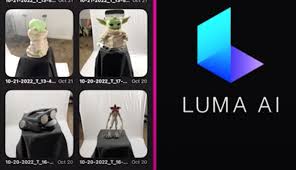
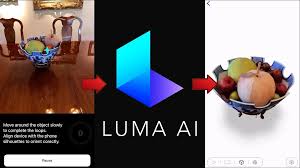
Transform real-world objects and scenes into breathtaking, photorealistic 3D models with just a few taps using Luma AI. Capture intricate detail and depth with your smartphone's camera, and discover how its advanced AI technology brings every frame to life. Whether you're a creator, developer, or enthusiast, Luma AI offers an intuitive platform that makes 3D creation simple and accessible for everyone.
### Key Features of Luma AI: 3D Capture
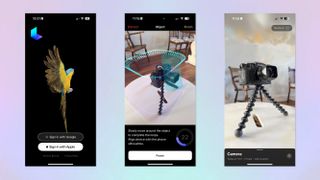
Intuitive Interface: The Luma AI app features a user-friendly design, enabling you to generate 3D images with just a few simple taps.
Realistic 3D Output: Leverage advanced artificial intelligence to produce stunningly realistic 3D models of objects, scenes, and people.
Easy Sharing: Seamlessly share your 3D creations with friends and family directly to social media platforms from within the app.
Offline Functionality: Use Luma AI even without an internet connection, allowing you to create 3D images anytime and anywhere with convenience.
### Advanced AI for Precision and Realism
P powered by cutting-edge neural rendering and AI, Luma AI delivers professional-grade 3D captures with accurate textures, colors, and lighting. Every detail is preserved, letting you explore or present your models as if they were physically before you. Forget complex equipment—Luma AI is your comprehensive, all-in-one 3D capture solution.
⭐ Unlock Endless Possibilities for Creators
Creators in gaming, design, e-commerce, and virtual reality can now bring their visions to life effortlessly. With Luma AI, generate 3D assets for projects, showcase products, or build immersive scenes with ease. The app includes intuitive editing tools to refine and enhance your captures for a polished, professional finish.
⭐ Share And Integrate with Ease
Easily share your 3D models on social media, embed them in websites, or integrate them into VR and AR applications. Luma AI supports multiple export options, simplifying the use of your 3D captures across various platforms and projects. Connect with your audience and showcase your work in an interactive, engaging format.
### Tips for Using Luma AI
◆ Experiment with Angles: Capture subjects from different angles to create more dynamic and compelling 3D images.
◆ Utilize Editing Tools: Explore the built-in editing features to enhance your 3D images with filters, effects, and other adjustments.
◆ Share Your Work: Showcase the 3D images you create with Luma AI on social media to amaze your friends and followers.
### Join The Future of 3D Modeling
Luma AI is revolutionizing how we capture, share, and experience the world in three dimensions. Whether you're preserving memories, constructing virtual worlds, or innovating in digital content, Luma AI delivers powerful 3D capabilities right into the palm of your hand.
Luma AI: 3D Capture应用截图
用户评价
发表评价
热门游戏
热门应用












最新文章
更多

Pokémon Go 推出100美元VIP票升级
Oct 06,2026
《合金装备Delta》多人模式“猎狐行动”或取代《金属齿轮在线》
Oct 06,2026
亚马逊3本2折图书促销:《黑曜石风暴》《日出》免费赠送
Oct 05,2026
《毁灭战士:黑暗时代》实体版需下载80GB
Oct 04,2026
《原神》开发商因开箱问题被罚2000万美元
Oct 03,2026
Emiru异世界慢生活联动活动指南
Oct 03,2026